#
How to Proxy a Minecraft Server
If you want to access your Minecraft server using a custom domain (e.g., play.yourdomain.com) without requiring users to type in a port number, you can do so using SRV Records.
#
Prerequisites
- A running Minecraft server on DBH.
- A custom domain managed via Cloudflare (recommended) or a domain registrar that supports SRV Records.
- Your server's Port and Node Address (e.g.,
dono-02.danbot.host).
#
Setting up the SRV Record
Follow these steps to create the record in your DNS dashboard.
#
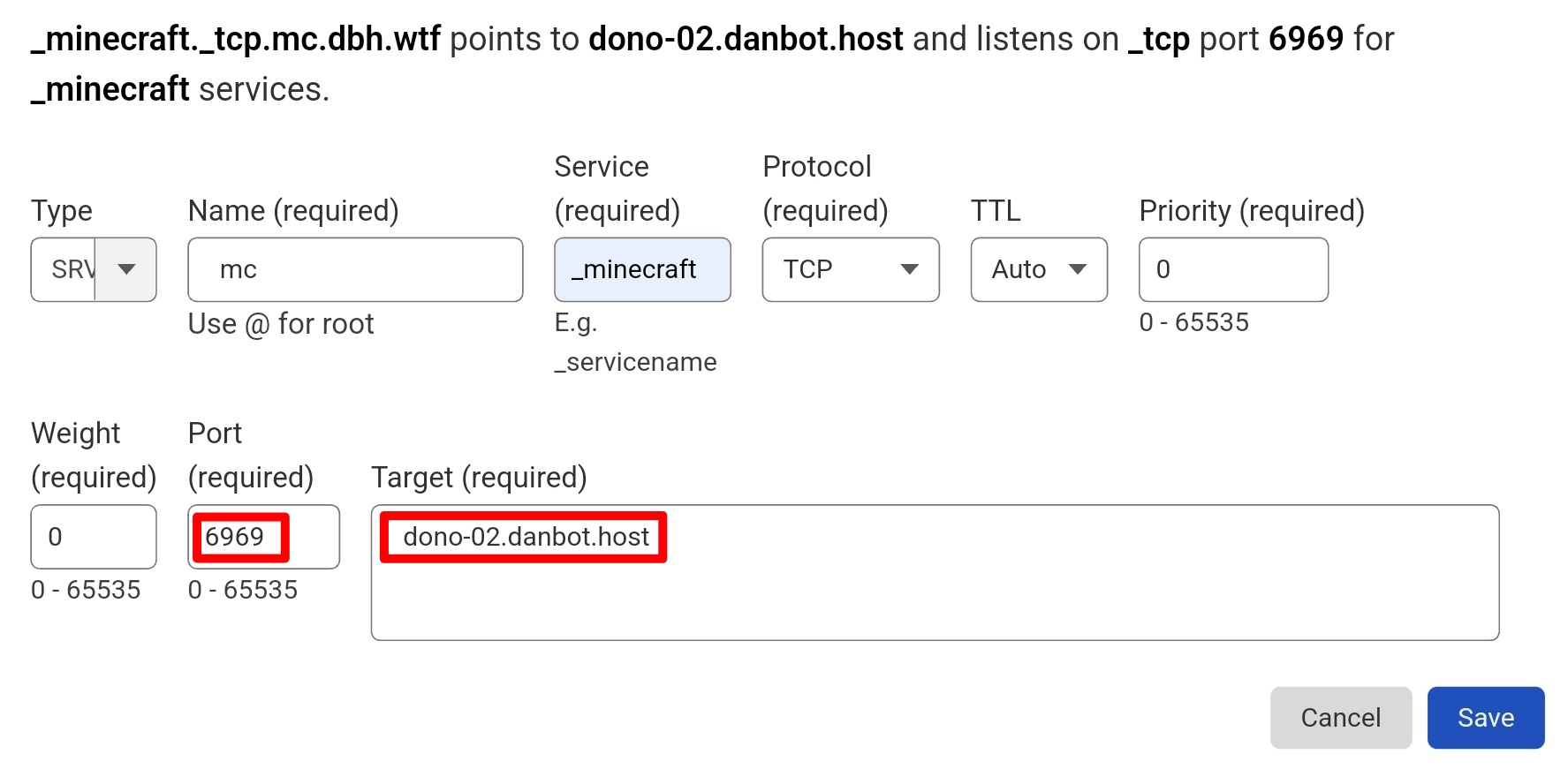
Record Details
#
Example:
#
Protocol Requirements
For Java Edition players, you must use the TCP protocol.
Protocol: TCPBedrock Edition For Bedrock/Pocket Edition players, you must use the UDP protocol.
Protocol: UDPLast Updated:
December 24, 2025.