
Rust
Rust is a systems programming language that runs blazingly fast, prevents segfaults, and guarantees thread safety. It is designed for building reliable and efficient software.
Requirements
- Have an account created and linked to the panel. Click here if you have not done so already.
Creating the Server
To create a free server, go into #⌛╏commands and run DBH!server create rustc [optional server name] to create a free server. Once you have done so, the bot should return the following output.
If you are creating a donator server, instead run DBH!server create-donator rustc [optional server name]
Configuration
Configurations are located in the startup tab. See image below.
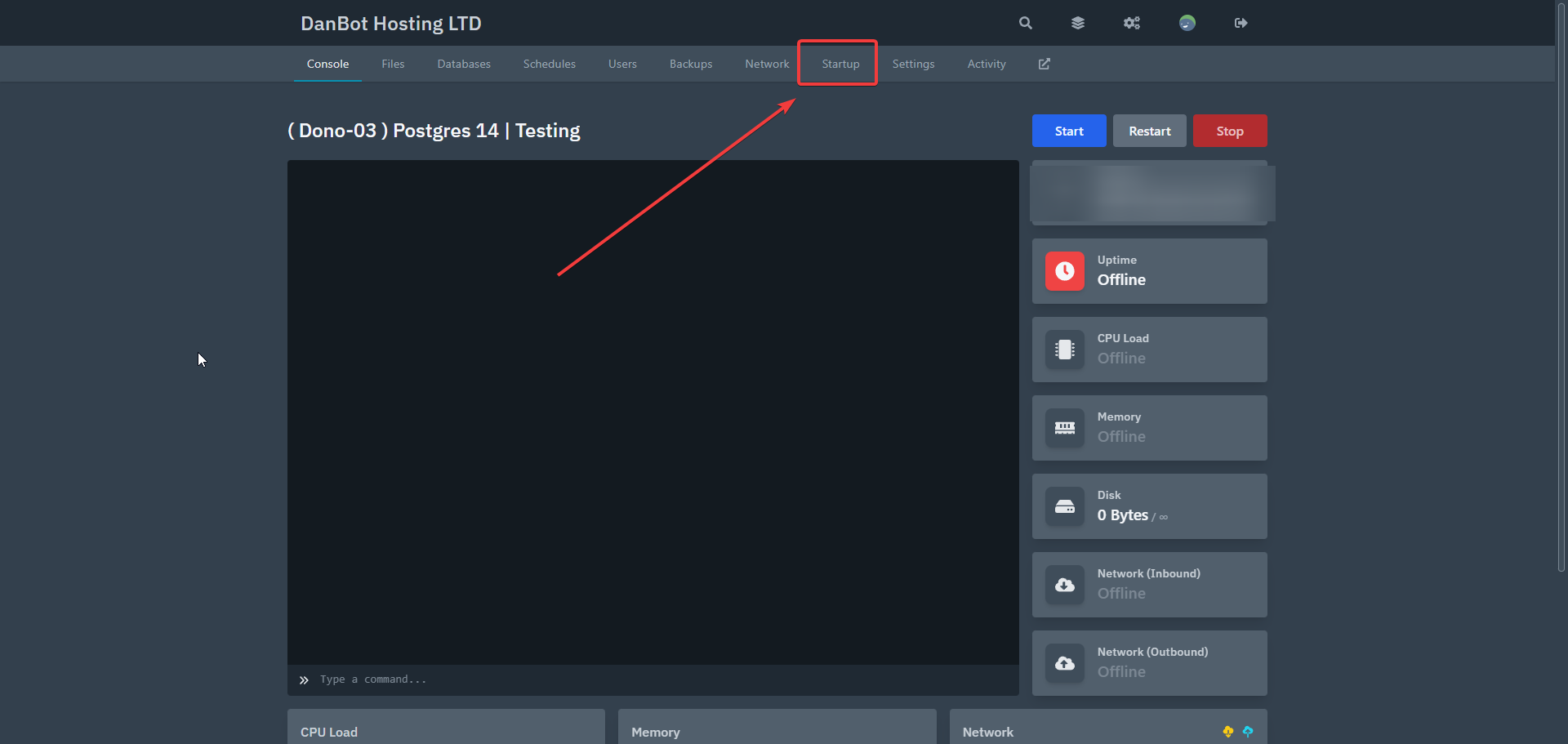
Startup
In the Startup tab, there are several customizations available for the Rust server. This allows you to use a git repository, as well as auto update on startup for the repository. You can also select the docker container which will have a different version of Rust which you can select from.
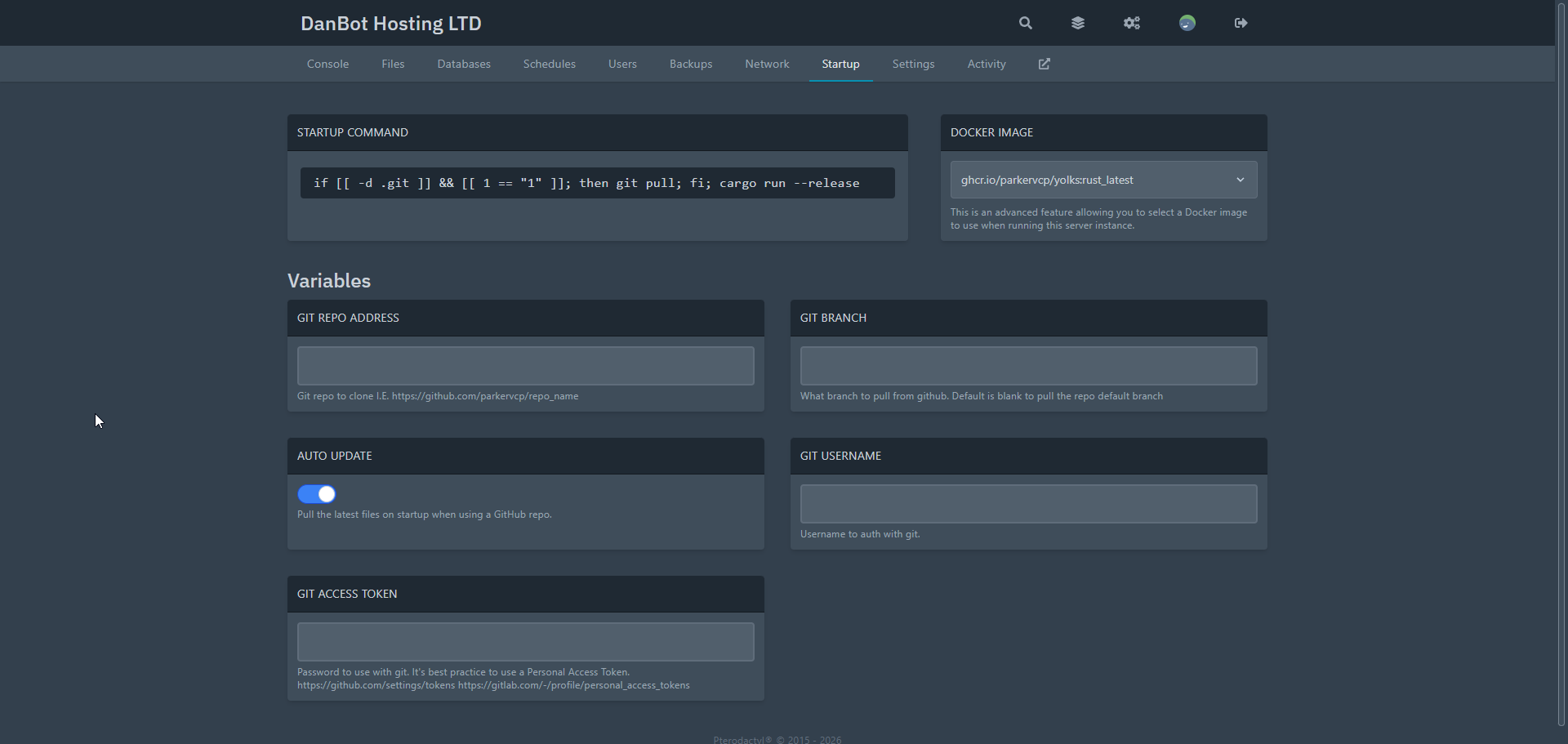
Docker Images
There are serveral docker images for different versions of Rust. Attached below are the current docker images for Rust.
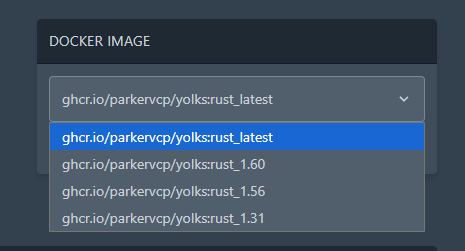
Note
The Pterodactyl egg may change overtime. Double check the documentation update date. Docs may not always be up to date.
Console
The console can be tweaked with the startup boxes and toggles. You can view those in the startup tab.
Last Updated:
January 5, 2026.