
#
PostgreSQL
PostgreSQL, also known as Postgres, is a free and open-source relational database management system emphasizing extensibility and SQL compliance. PostgreSQL features transactions with atomicity, consistency, isolation, durability properties, automatically updatable views, materialized views, triggers, foreign keys, and stored procedures.
#
Requirements
- Have an account created and linked to the panel. Click here if you have not done so already.
#
Creating the Server
We currently have the following Postgres Versions:
- Postgres 14
- Postgres 16
Here at DBH, we have different versions of Postgres. These are relatively the same, but just a different version. These are going to be dependent on the applications you need.
To create a free server, go into #⌛╏commands and run DBH!server create (postgres14|postgres16) [optional server name] to create a free server. Once you have done so, the bot should return the following output.
Server Successfully Created
Click Here to Access Your Server
Status:    User ID:    Type:
Created    16464       (postgres14|postgres16)
Server Name:
Untitled Server (settings -> server name)
If you are creating a donator server, instead run DBH!server create-donator (postgres14|postgres16) [optional server name]
#
Connecting to the Database
In order to connect to your database, start the server and use the following connection string:
postgres://pterodactyl:<PASSWORD>@dono-XX.danbot.host:<port>/postgres
#
Fields
The given connection string above will not be enough to connect to the database. Now you need to modify it to be able to connect.
#
Node
Replace "dono-XX.danbot.host" with the server's node. Below is a table with the node domains.
Note:
These are just example hostnames that are given. These may change at anytime. Always use the address provided in your server.
#
Configuration
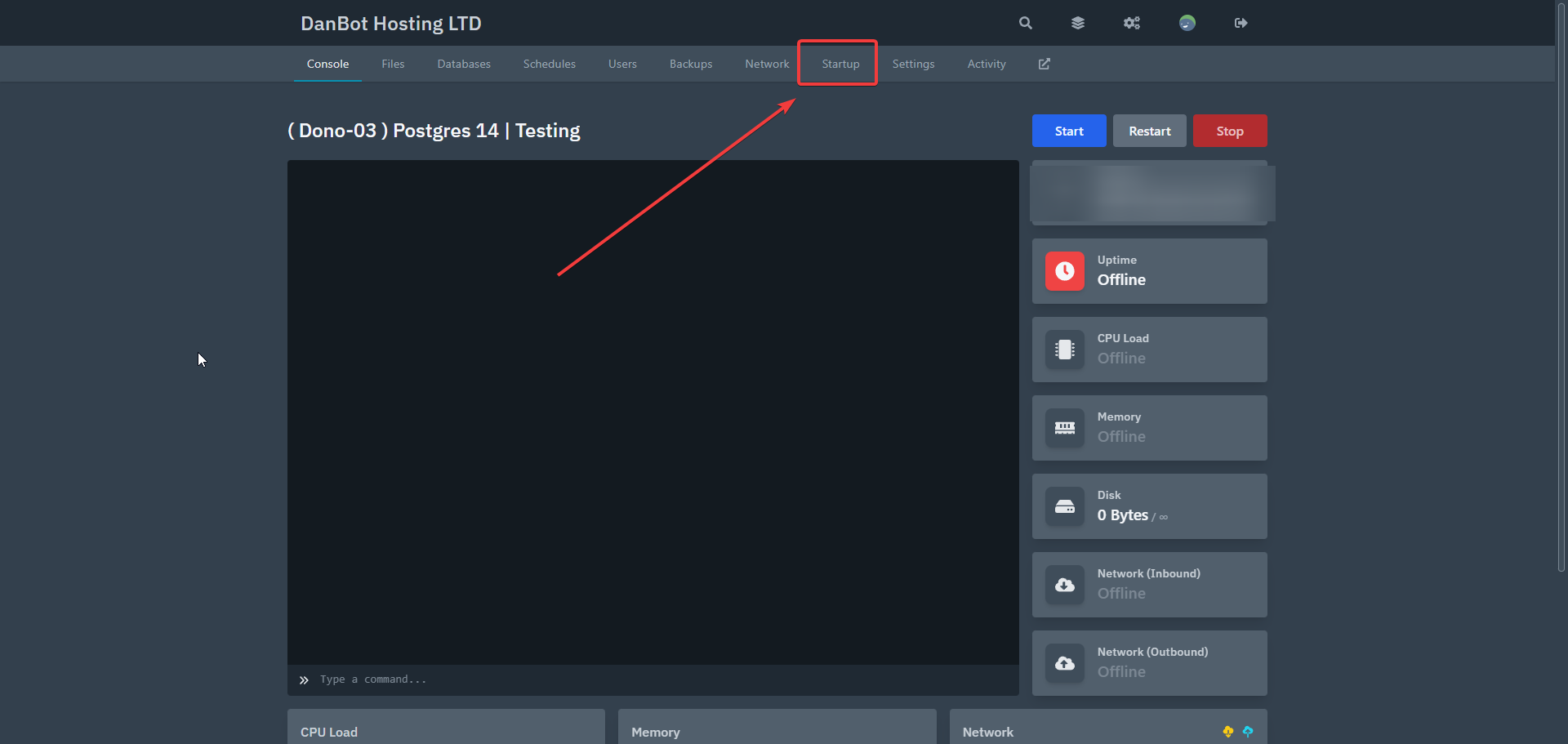
Configurations are located in the startup tab. See image below.
#
Username
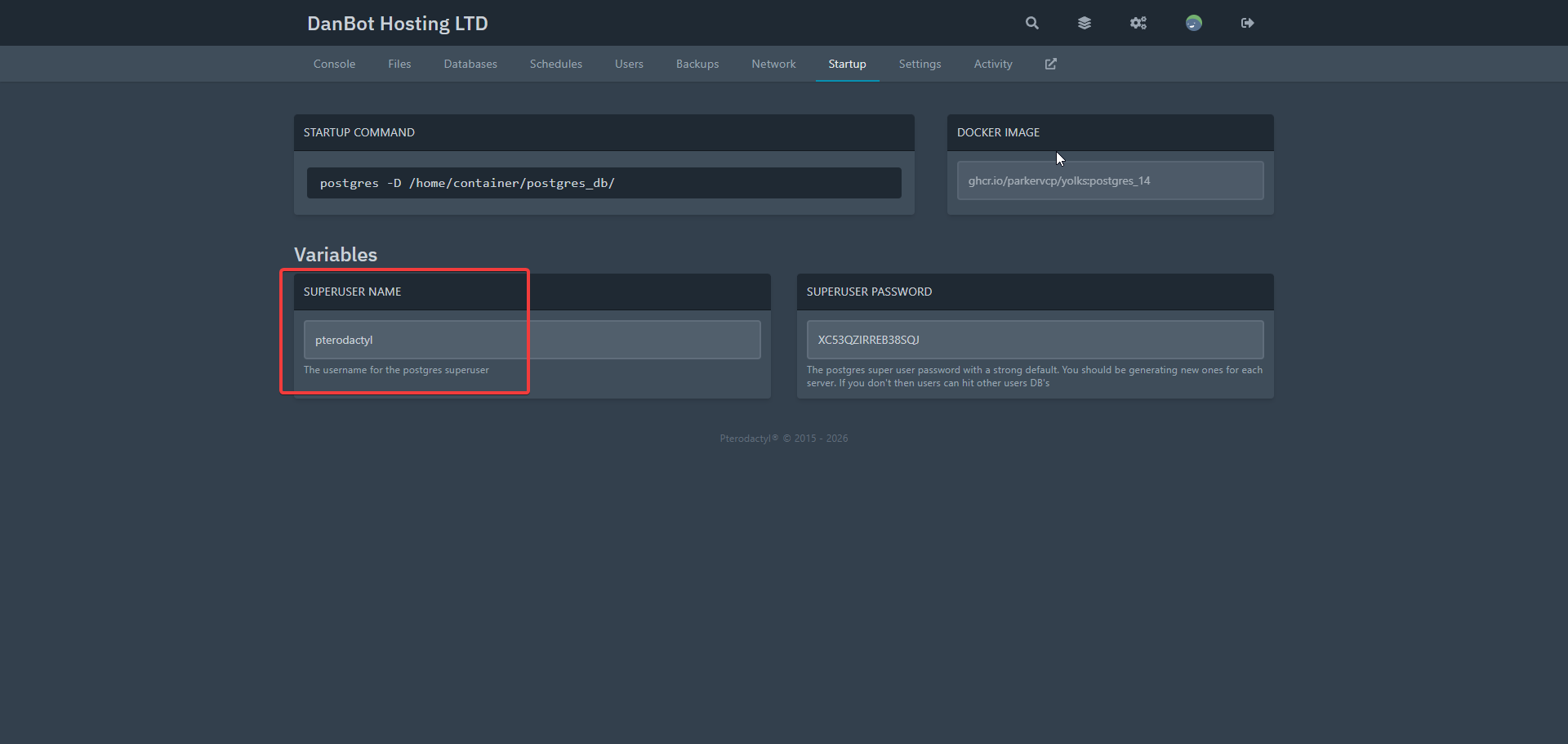
The Pterodactyl username is pterodactyl by default, and can be changeable in the startup tab.
You need to restart the server for this to take affect.
#
Password
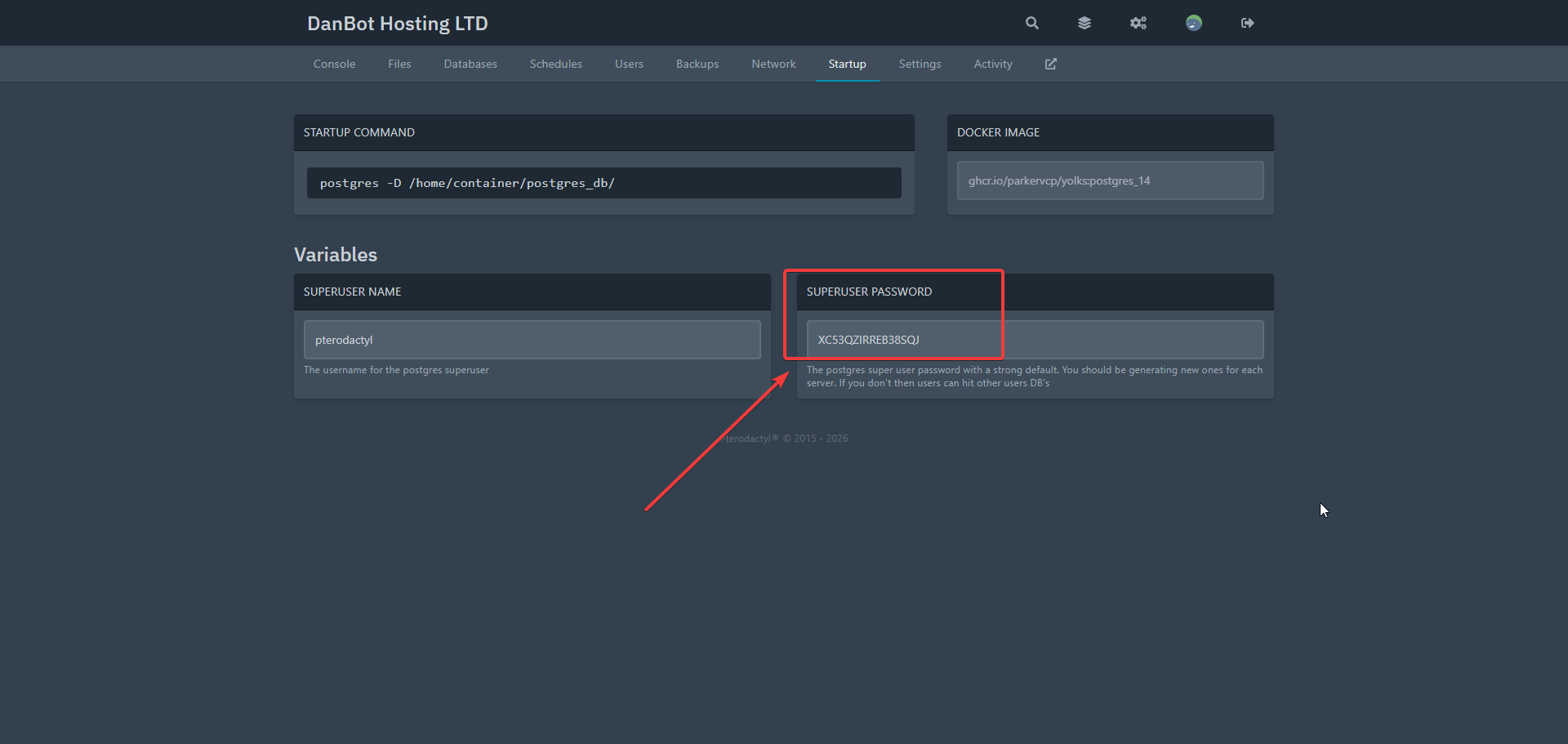
Your server's password can be found in the startup tab under the variable Superuser Password. This is changable in the startup tab.
You need to restart the server for this to take affect.
#
Port
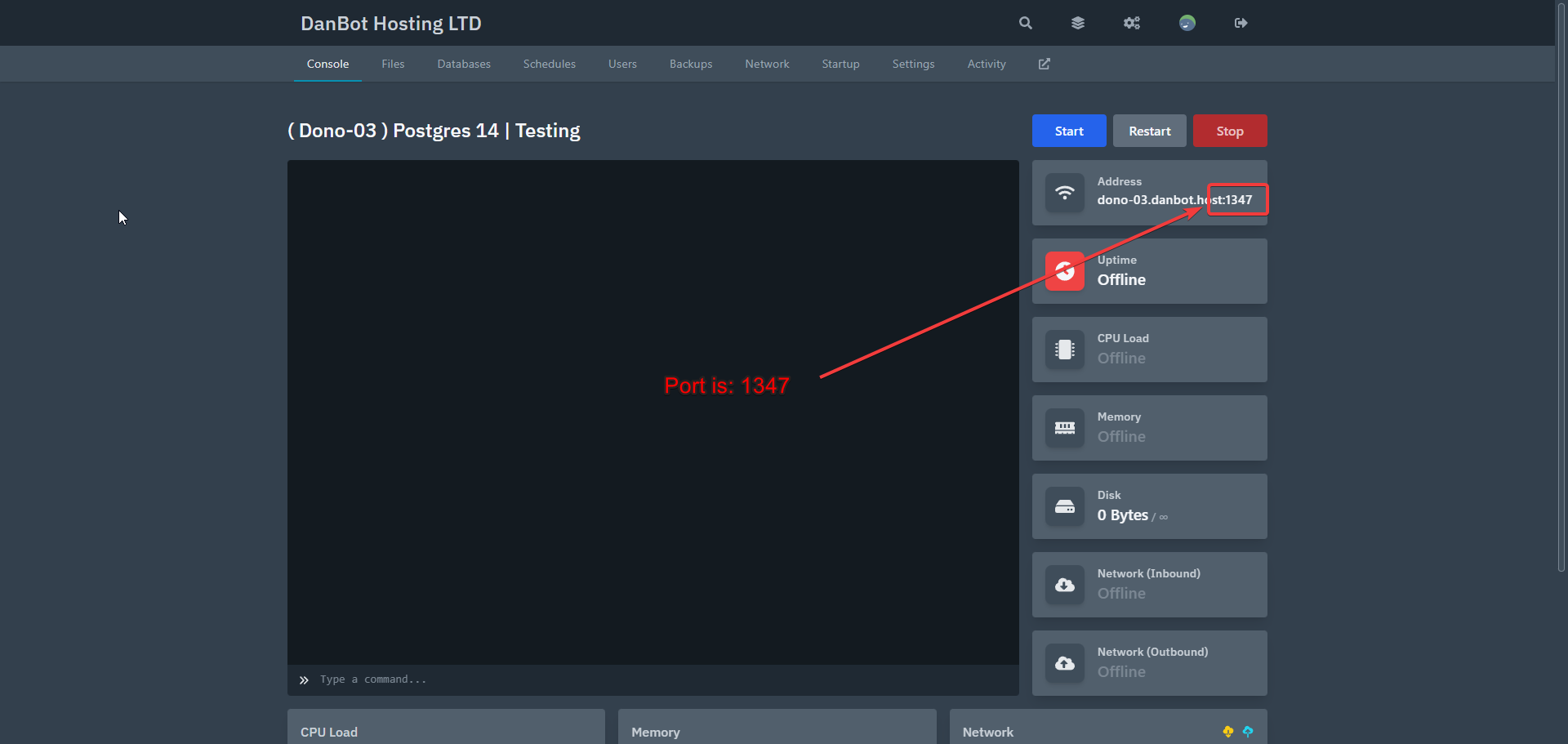
You must use your server's assigned port found on the Main Page also known as console page after the node domain. Example: dono-03.danbot.host:1234. The port would be 1234.
#
Final Result
Once you have finished modifying the connection string, it should look like this:
postgres://pterodactyl:th!s!snot-p-ssword@dono-03.danbot.host:1234/postgresThis is based on the information you have in the startup tab.
Last Updated:
January 4, 2025.